Monday, January 18, 2016

Pi-Bot Pre assembly

   We have been calling our creation Pi-Bot. We have done some pre-assembly to learn how to hook up the circuit pathways and learn how to talk to the chips.

   In this video clip is our Chromebook is temporarily connected to the Arduino board, L298N motor controller and 2 motors. I found the code that works for us on Instructables.  I have been more successful, and got it to work first using my Chromebook first.  I then got it to work on the Raspberry Pi and Arduino IDE once I knew it was working.  Working with the little Raspberry Pi is very slow, but does well once set up. I will do most of my code experimentation on my Chromebook.


   My Wife and I need to get the frame assembled so we can put these parts on the actual machine and at least get it to do some pre-programmed paths on the floor.

   We still are working on how to access the Arduino board using Python on the Raspberry Pi 2.  When I find code that works there we then will have to find a way to incorporate the code all together to make a truly programmable car. 

   We have four simple 2-wire motors that apparently are only used at 1 speed, forward and reverse.  I plan to research digital style motors that have speed control options.  I do not know how much I will have to change the code or car to add this feature, and this sounds a bit scary.  As we are just learning to program Arduino Skript and Python any code we add to the base code we found at Instructables is going to be a difficult trial and error job for us.  I will be looking all over the web for and accepting any help I find on to make our learning curve easier. 

   Eventually we would like to get SSH WiFi remote working, I have only play with this a little but was able to access The Pi 2 terminal by WiFi remote on my Chromebook.  I am a Graphical UI guy so there was not much I could do there.  I want to be able to access the Pi 2 Python IDE th will be connected onboard to control the Arduino board. What a learning curve it has been. 

Wednesday, December 30, 2015

Raspberry Arduino 4wd Smart Car

   To give us something to program together with our Raspberry Pi 2 Kathy and I have ordered parts to build our own car.  We spent an hour before our weekly Bible study working towards learning Python together to this end.  We are going through a Udacity Python 2.7 video course together. 
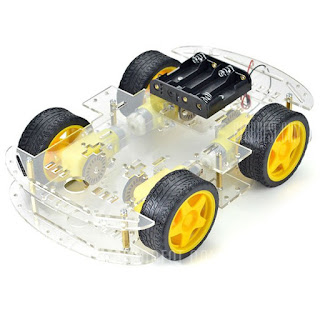
 $16.89 Arduino Compatible DIY Motor Smart Robot Car Chassis Kit 4 WD-16.89 and Free Shipping| GearBest.com
Arduino Compatible DIY Motor Smart Robot Car Chassis Kit 4WD
All these parts so far were from Gearbest with excellent prices.

   Mounted on our car to control our motors will be a L298N motor drive module and an Arduino compatible Mega 2560 R3 board 16U2 for other accessories like an obstacle avoidance sensor or perhaps a camera.  Also to add we have our Raspberry Pi 2 to give a brain to our new smart car.
 L298N motor controller        Arduino Mega 2560 R3

Our plastic frame, motors and wheels for our car are ready for assembly.


   My Brother Craig, who by the way, just got a Raspberry Pi 2 today in the mail today has been busy getting his Pi set up to his preferences.  He is also going to run Linux Ubuntu Pi MATE.

   Now the learning to program together with my Wife, Brother and another Friend and his father continues.  I look forward to this hobby being something we can all do together as we enjoy some fine association with each other.

Sunday, December 20, 2015

Pi a la Cart

Raspberry Pi 2 on its own new plastic
 Sterilite 3 drawer cart from Walmart for $10


The plan is to keep all parts in one location this way.  The keyboard and mouse are on the top pulled out drawer.  It all has a 10' umbilical cord going to the TV, Power, and the Lan.  The whole thing can be wheeled to our chairs when using else be stored away.  The small little Pi 2 is a mobile device but nothing like we have become accustomed to :/
Raspberry Pi 2 Booting up a la dessert cart

It is also sporting a cool desktop I found with Google at: wordpress
Made the text match the color we love it.

Thursday, December 17, 2015

NEW!! Apple Pi with Raspberry Pi filling

NEW!! McDonald's Apple Pie with Raspberry filling.
That just looks to tasty to pass up.
Raspberry Pi eats Apple.
Around here Apple is a consumption device.


   We have it working except for the sound.  Right now the Raspberry pi is set up on a chair in front of the TV, but we are scheming a mobile Raspberry cart to set in front when we are using it.


Wednesday, December 16, 2015

Our new baby in the house gave us the Raspberry

Our baby waiting for its swaddling cloth to be removed
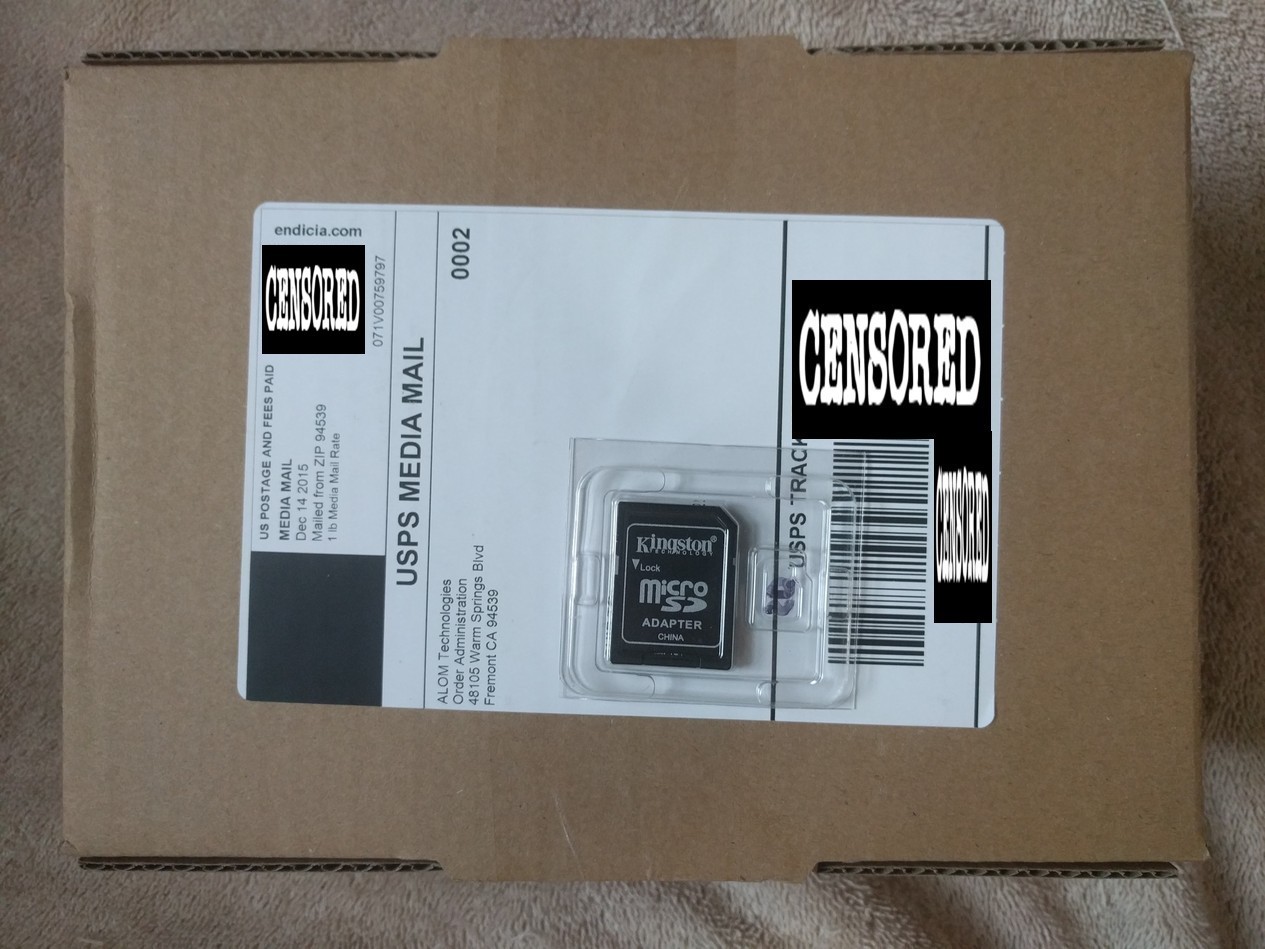
   My Wife and I decided we wanted a winter project we could do together. She was not able to get into learning Esperanto with me.  As for loading the obligatory Raspberry NOOB OS files on its microSD memory I found my Android Lenovo tablet had the better Zip extraction App but I could not get it to blank format the mSD without it claiming it and moving right in, so I copied the NOOB files to the mSD using my Chromebook.  We got the Raspberry Pi inthe mail today but my wife not awake enough to open it up yet so we can boot it up... oh the pain,  so I decided to blog about it.  And then I have an afternoon appointment ,so here it will sit until we can open it together.......

Monday, November 23, 2015

Google Fi phone service and Nexus 5X Phone

   My 2012 Moto G kept shutting down on me and my SquareTrade insurance opted to just pay out on the phone.

   So since I needed to replace it, I chose a to get a Nexus 5X which has been very a snappy phone for me.  I really like the fingerprint scanner that makes logging into the phone very quick as well as the larger screen.

   I decided also to try the Google Fi Network which uses the T-Mobile, Sprint and also WiFi networks to provide phone service. So far the service has been great.

   Since I use very little data I am using the $20 monthly service plan with with an allowance of $10 for data.  I will use very little data so my bill will end up being barely above $20 a month.

   The customer service has been awesome!  The only other company that I have such good service is Netflix.  I got friendly help with my questions about the service by chat within a minute a couple of times.  The representatives were very knowledgeable and spoke clearly.

   Although I haven't even had the service for quite a month yet, I am liking both the phone and service quite a lot so far.

Wednesday, November 18, 2015

A new keyboard

   I have been using a Logitech K120 keyboard for years and its keys are wearing out causing me a lot of editing.  My wife also is wishing me to get a quieter KB


Perixx PX-5200 with blue backlighting on.

   I found a super good deal on a "damaged box"(looked ok to me) Perixx PX-5200 keyboard with mechanical MX brown quiet non-clicky switches. It is sturdy built with a keypad, 8 macro keys, a replaceable USB cord, and non-dimming blue backlit mechanical KB Brown key switches.


Mechanical Switches
  
 This is my first real KB with actual mechanical switches instead of rubber dome switches.  I picked a KB with MX Brown switches which is a quieter switch without the click so my wife does have to hear all my typing.


Key Dampeners
   I am using .2mm red MX rubber O-ring switch dampeners to give some sound reduction, but yet with a minimal change in key travel.


Elite firm gray foam keypads
   I am also going to try some Elite firm gray foam key pads.  Or I could try to not bottom out the keys so much in the first place. :)  


   I also picked up a key top puller to make installing the key dampeners easier.
A keytop puller
 My experience with the KB so far 
   I am liking the feel of the key switches and weight of the KB, the blue blacklighting is very bright. I added the red rubber O rings and they do quieten the keys some.

   I installed the firm grey pads on the keys over the red O rings and they only make the keys only a small bit quieter.  All except for the space bar it still rattles even with both the red and grey foam pads installed. I tried adding two layers of foam pads but that hindered its operation.
    
  My Wife Kathy says this KB is quieter than my old Logitech KB though, so as long as she is happy, I am happy.