In this video clip is our Chromebook is temporarily connected to the Arduino board, L298N motor controller and 2 motors. I found the code that works for us on Instructables. I have been more successful, and got it to work first using my Chromebook first. I then got it to work on the Raspberry Pi and Arduino IDE once I knew it was working. Working with the little Raspberry Pi is very slow, but does well once set up. I will do most of my code experimentation on my Chromebook.

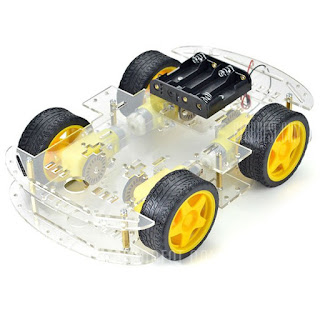
My Wife and I need to get the frame assembled so we can put these parts on the actual machine and at least get it to do some pre-programmed paths on the floor.
We still are working on how to access the Arduino board using Python on the Raspberry Pi 2. When I find code that works there we then will have to find a way to incorporate the code all together to make a truly programmable car.
We have four simple 2-wire motors that apparently are only used at 1 speed, forward and reverse. I plan to research digital style motors that have speed control options. I do not know how much I will have to change the code or car to add this feature, and this sounds a bit scary. As we are just learning to program Arduino Skript and Python any code we add to the base code we found at Instructables is going to be a difficult trial and error job for us. I will be looking all over the web for and accepting any help I find on to make our learning curve easier.
Eventually we would like to get SSH WiFi remote working, I have only play with this a little but was able to access The Pi 2 terminal by WiFi remote on my Chromebook. I am a Graphical UI guy so there was not much I could do there. I want to be able to access the Pi 2 Python IDE th will be connected onboard to control the Arduino board. What a learning curve it has been.